

- Descrição curta
- Discover popular tags across all installed apps with our intuitive application tag manager. Customize display settings including app icons in tabs, number of tags shown, and sorting options. Manage which apps' content items appear in this resource easily.
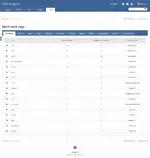
This application will list all most used tags in all applications that you have installed on your board: each application that its content item uses tags will have a tab in this resource.
Settings:
- Display application icon in tabs?
- Number of tags to display
- Order listing
- Tag
- Number of uses
- Number of times prefixed
- Display tags from apps:
- All apps that its content items will appear as an option here. So if you don't want to show tags from Calendar, for example, just disable it in this setting
- Apps tab order are defined in ACP -> System -> Applications. Basically, it will show in this resource the same app order from there.
- Apps icons are defined by their developer and may happen that more than one app uses the default icon. In this case, you have to request the dev to add an icon to the app.


